Cybersecurity · Practical experiment
Image Covert
A hands-on investigation into steganography and file integrity: hide an encrypted text message inside an image, recover it after transfer, and observe what happens when an image service preserves or transforms the file.
- Focus
- Steganography and integrity verification
- Tools
- OpenStego, PowerShell, SHA-256, Postimages
- Result
- Byte-preserving transfer succeeded; resizing destroyed recovery
Experiment design
Two transfer paths, one hidden message
This project is a small practical experiment focused on steganography and file integrity verification using cryptographic hashes. First, I hide a message inside an image and transfer the steganographic image directly to another device. On the receiving device, I extract the message and verify that the transferred data remains intact.
Next, I send the same kind of steganographic image through an image-sharing service. After downloading it, I attempt the extraction again and compare file hashes to determine whether the service modified the image or affected the concealed data.
Prepare
Choose the carrier and establish a baseline
Before embedding anything, I calculate its SHA-256 hash with PowerShell's built-in Get-FileHash command. This digest becomes the baseline integrity reference for the original image.


Original image230E03C398CB555B4FACE73941744171FFC67572B6EAC29EA583A7A12FF5ED31
Embed
Build and conceal the payload
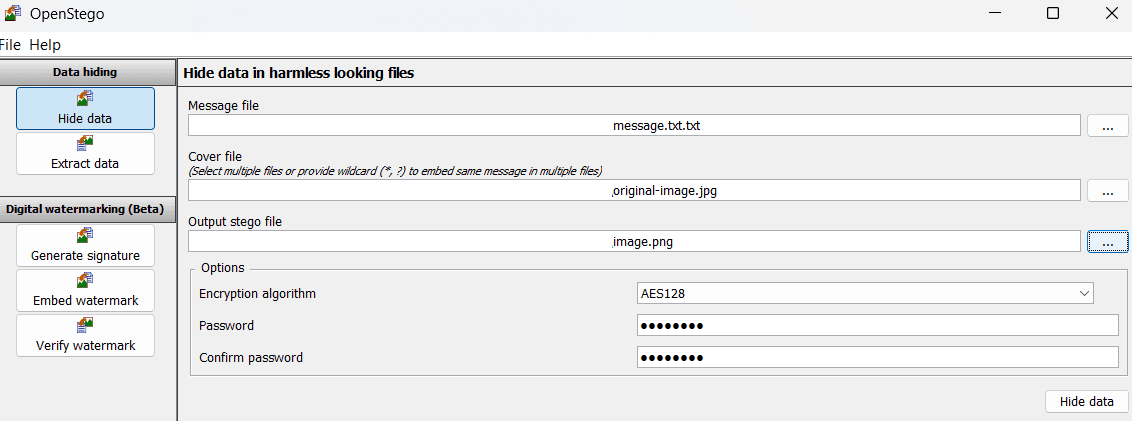
I created a simple message.txt file containing inert lab text. At this stage it is only plain text: it is not executable and performs no action by itself. The two inputs are now ready - the carrier image and the message file.

I use OpenStego to embed message.txt into original-image.jpg. The output is a new PNG containing the concealed message. AES-128 is enabled, so the payload is encrypted before OpenStego embeds it into the carrier.
Verify locally
Different image hash, identical recovered message
The steganographic image looks ordinary, but its SHA-256 digest is completely different. That is expected: embedding changed the image's underlying binary data even though the visual result appears unchanged.

Original image230E03C398CB555B4FACE73941744171FFC67572B6EAC29EA583A7A12FF5ED31
Stego image412268534A5B3D4BCC23E0ADCABB060F7E1C644A64C43273F066B2D13294A394
A receiver who knows the image contains hidden data can load it into OpenStego, select an output directory, and provide the matching password. OpenStego then extracts the original message file.
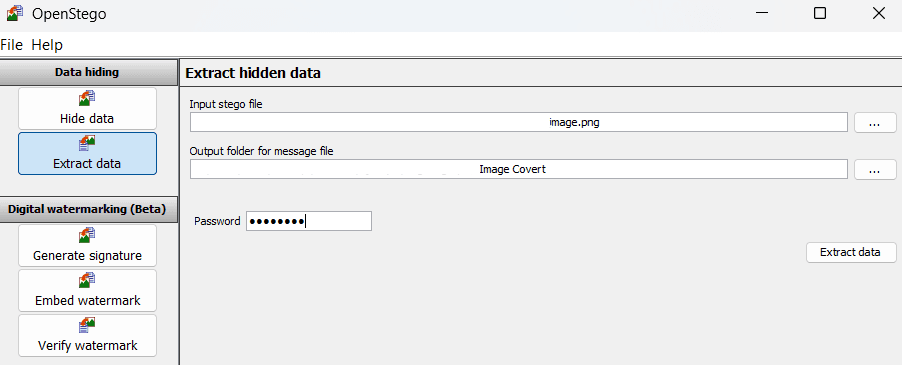



Verified: both message files share the SHA-256 digest 0B86ED2F1095B6ACC04FFBE48F1B2471C965D41488B490B07670F110721B779A, confirming that they are bit-for-bit identical.
Transfer
Test an image-sharing service
The next test uploads a steganographic image to Postimages, download it on another device, and compare the result. Because of the service's file-size limitation during this experiment, I use a lower-quality version of the same photograph and establish a new SHA-256 baseline before uploading it.

Pre-upload imageD600A19BEB97BB7826C93D12BAB170573F85C0272E7C677F8F6E0DA2B3BE12BC
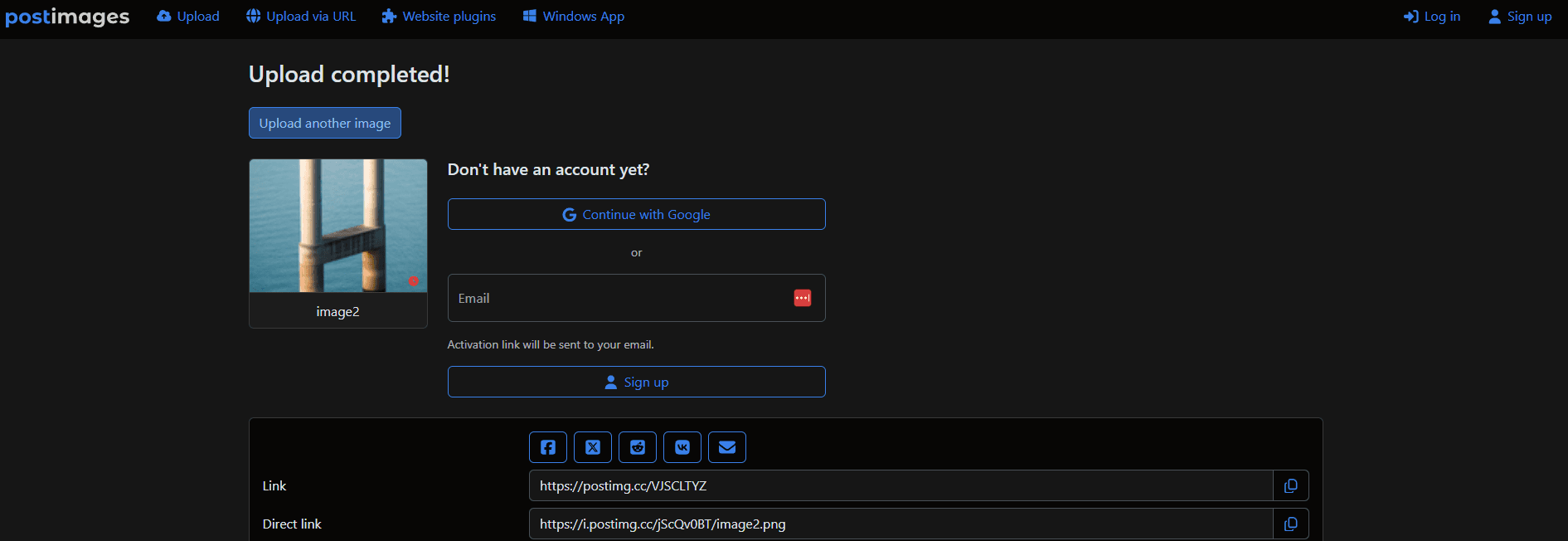

Transfer result: the downloaded image is bit-for-bit identical to the uploaded file, indicating that this direct Postimages download path preserved the file during the test.
I then extract the payload from the downloaded image with the same password and procedure. The message remains intact, demonstrating that a byte-preserving hosted transfer can retain OpenStego's concealed data.

Transform
Resize the image and test recovery again
Resizing the steganographic image from 1280×1920 to 640×480 changes the pixels and file structure, so a different SHA-256 hash is inevitable. More importantly, image resampling can alter the specific pixel values or frequency-domain coefficients used by steganographic techniques, potentially destroying the embedded pattern.
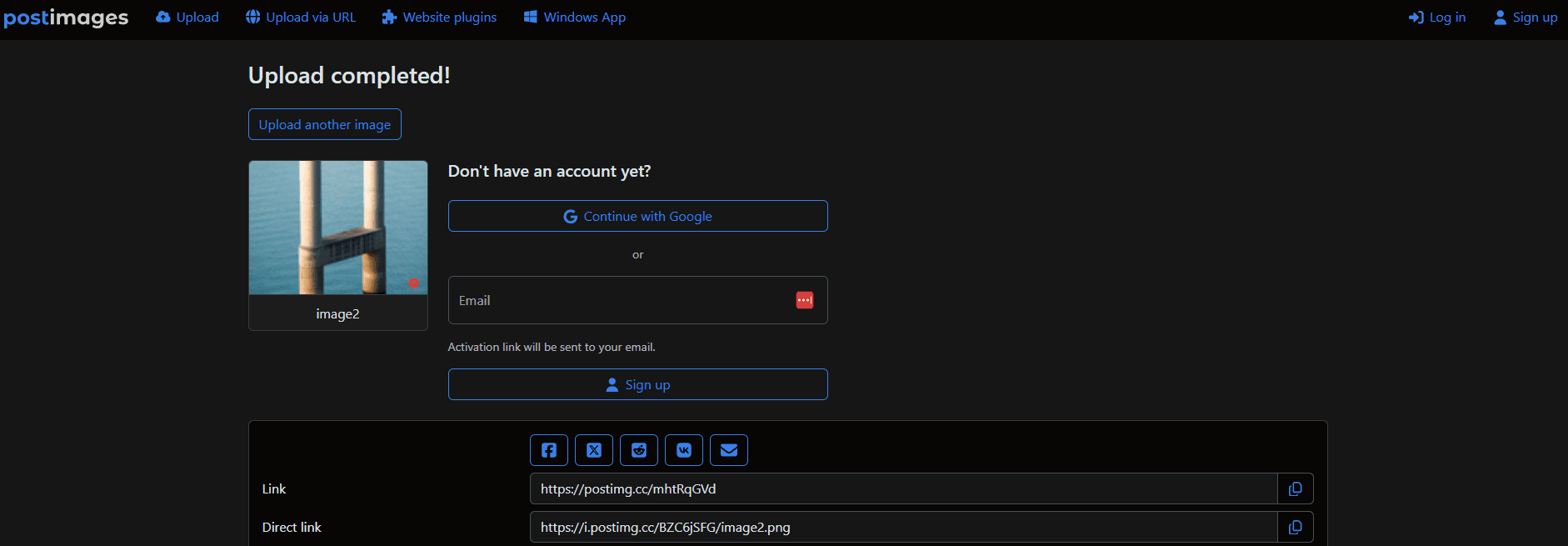


Extraction failed: the password and procedure were unchanged, while resizing was the manipulated variable. The result strongly indicates that resampling disrupted the embedded data.
Conclusions
What the experiment demonstrated
- Visual similarity is not binary identity. The original and steganographic images can look alike while producing entirely different SHA-256 hashes.
- Hashes verify integrity. Matching message hashes proved that the original and extracted payloads were bit-for-bit identical.
- Byte-preserving transfer can retain hidden data. The tested Postimages download path preserved both the image hash and recoverable payload.
- Image transformations are destructive to fragile payloads. Resizing changed the digest and prevented OpenStego from extracting the message.
- Discovery requires a different investigation. A user who does not know a payload exists would need suspicion, steganalysis, or appropriate forensic tools to investigate it.